
Creating Comparison Sets for High-Intent Use Cases
Comparison sets keep product content focused and current. This article explains how to build one with keyword or barcode searches, refine it with filters, and use deduplication.
Showcase products with comparison sets that keep content clean, focused, and up to date.
To create a Comparison Set, you can start with a keyword search in the Query Builder or through the Product Search API using product names, merchant names, or even brand names.
If you’re looking to compare specific models or exact products, searching by barcode, MPN, or SKU will return the cleanest results.
These identifiers are especially helpful when products have slight variations in naming across merchants.
You can then refine your set further using filters like:
- Brand – to anchor the comparison set to a specific manufacturer
- Merchant ID or Network ID – if you only want results from known partners
- Price range – to focus on products within a target budget
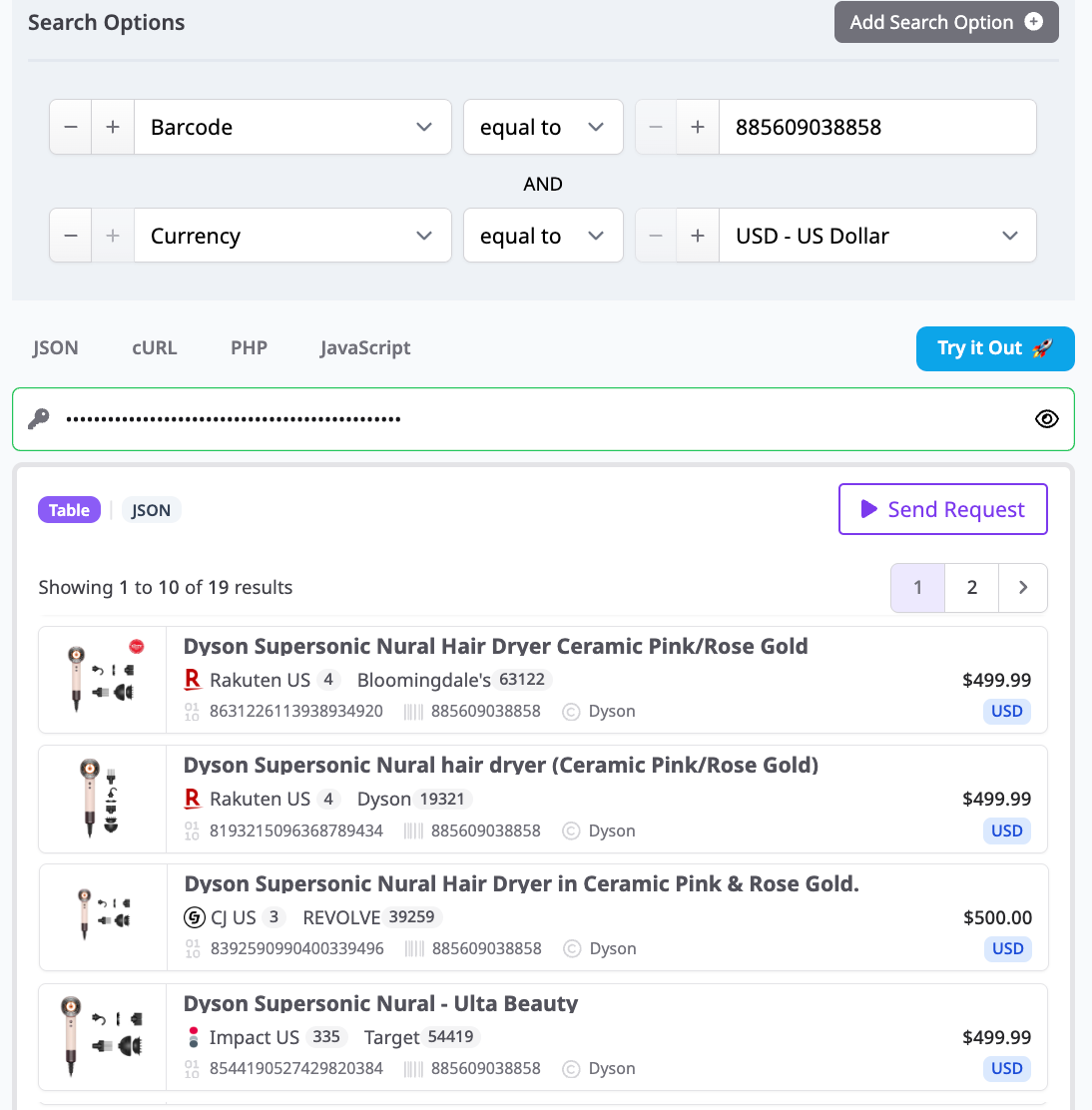
You may also opt to use deduplication to consolidate repeated listings across merchants so that users see a single product entry with multiple purchase options, rather than the same product five times with slightly different titles.
Compare the stores for a real product
The demo below lists every store that sells each of a set of real products. Open a product, then rank the stores by percent off and by price to see whether the same store comes first. The page holds a set of products that is rebuilt every week, last pulled November 24, 2026.
The products in the demo were chosen because several stores sell them at different advertised percentages, so they show what the comparison looks like, not how common it is.
When it comes to how many products to showcase, not every comparison set needs to be long or complicated. Sometimes a quick two-product showdown is all you need. In broader buying guides, it might make sense to include 3-5 top picks with different strengths or features.
To learn more, visit https://www.affiliate.com/programmatic-apis.