
AI Short Names
AI Short Names compress long product titles into clear, scannable labels without losing the core meaning. In Affiliate.com, AI Short Names sit on top of the same indexed fields you already trust, so the output plays nicely with identifiers, merchant governance, and deduplication.
Why care about short names The longer a title, the harder it is for readers to parse, especially on mobile. Shortening names improves comprehension and lets your snippet layouts surface price and availability where it matters most.
What AI Short Names do
AI Short Names rewrite verbose titles into a concise variant that keeps brand, model, and the key attribute your audience needs to decide. They do not change the underlying record. Barcode, SKU, MPN, or ASIN still anchor matching across merchants, and pricing and availability fields remain intact for filters and sort.
You control when to apply short names. Toggle per snippet or leave it off when the full product name is editorially required.
Where this appears in the UI
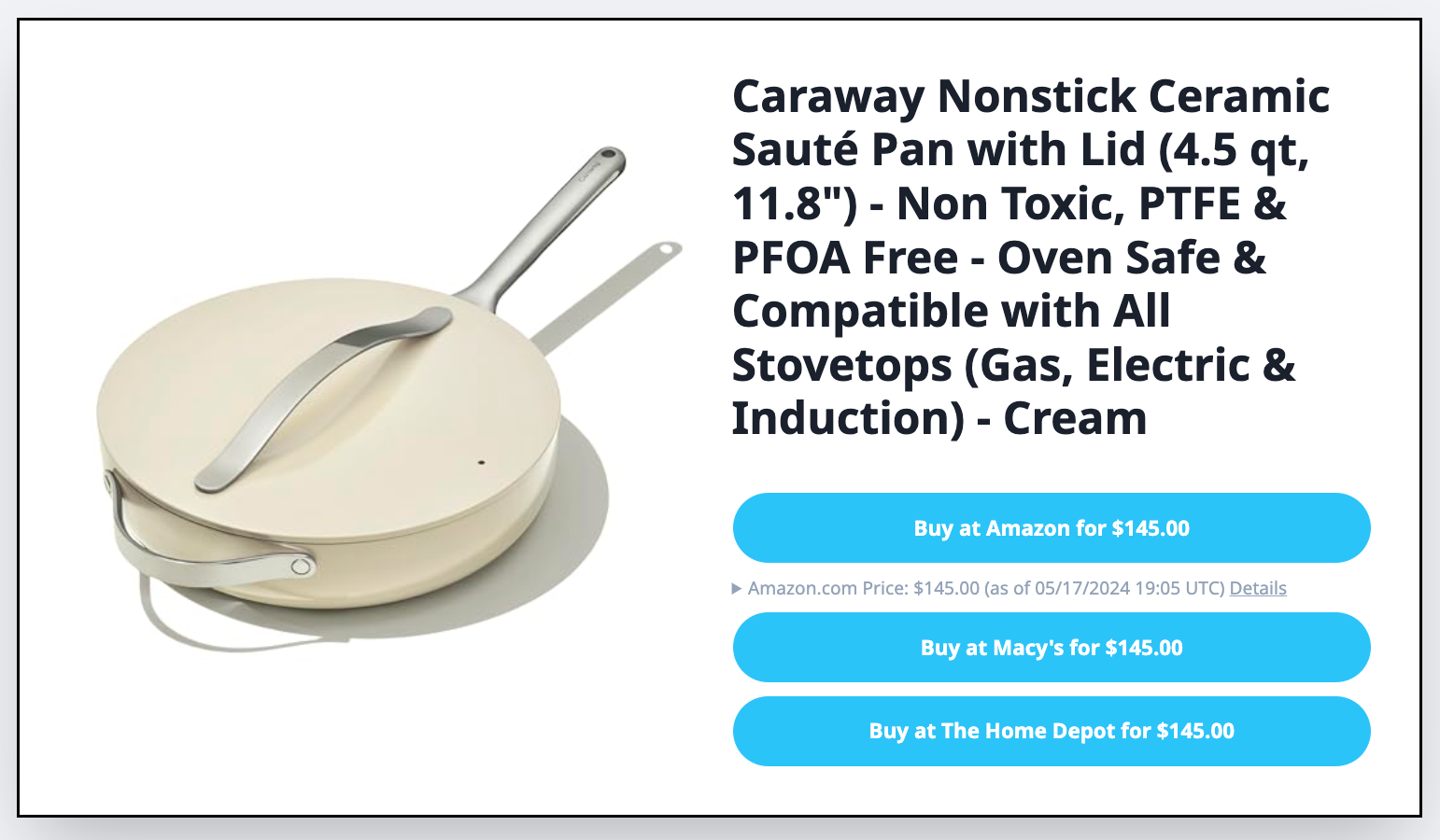
The snippet image shows a long title that pushes critical data down the card. It is readable on desktop, but cramped on mobile.
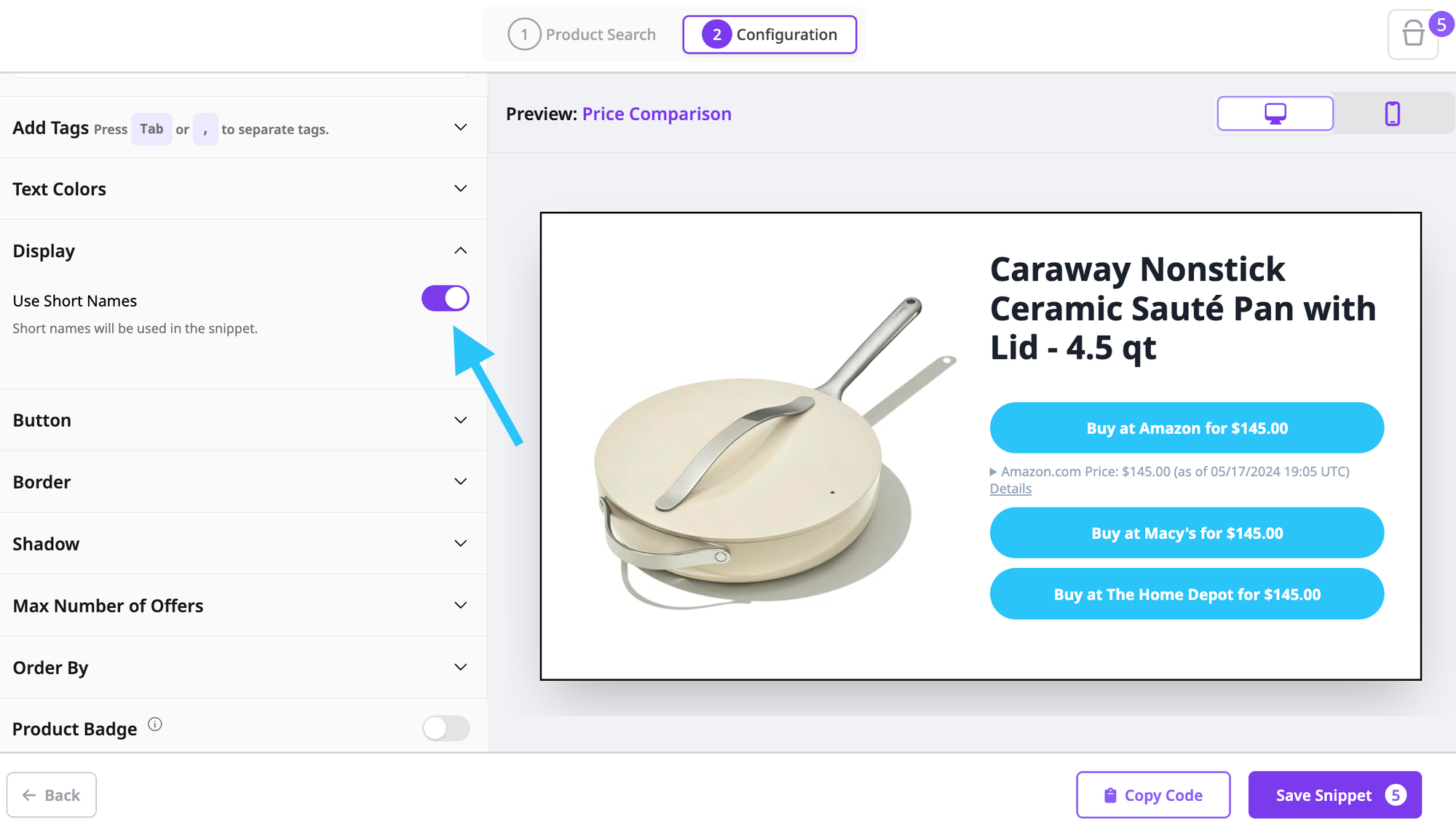
In editor view, you will see the Short Names toggle on the left panel. Turn it on to generate a condensed label for the same product.
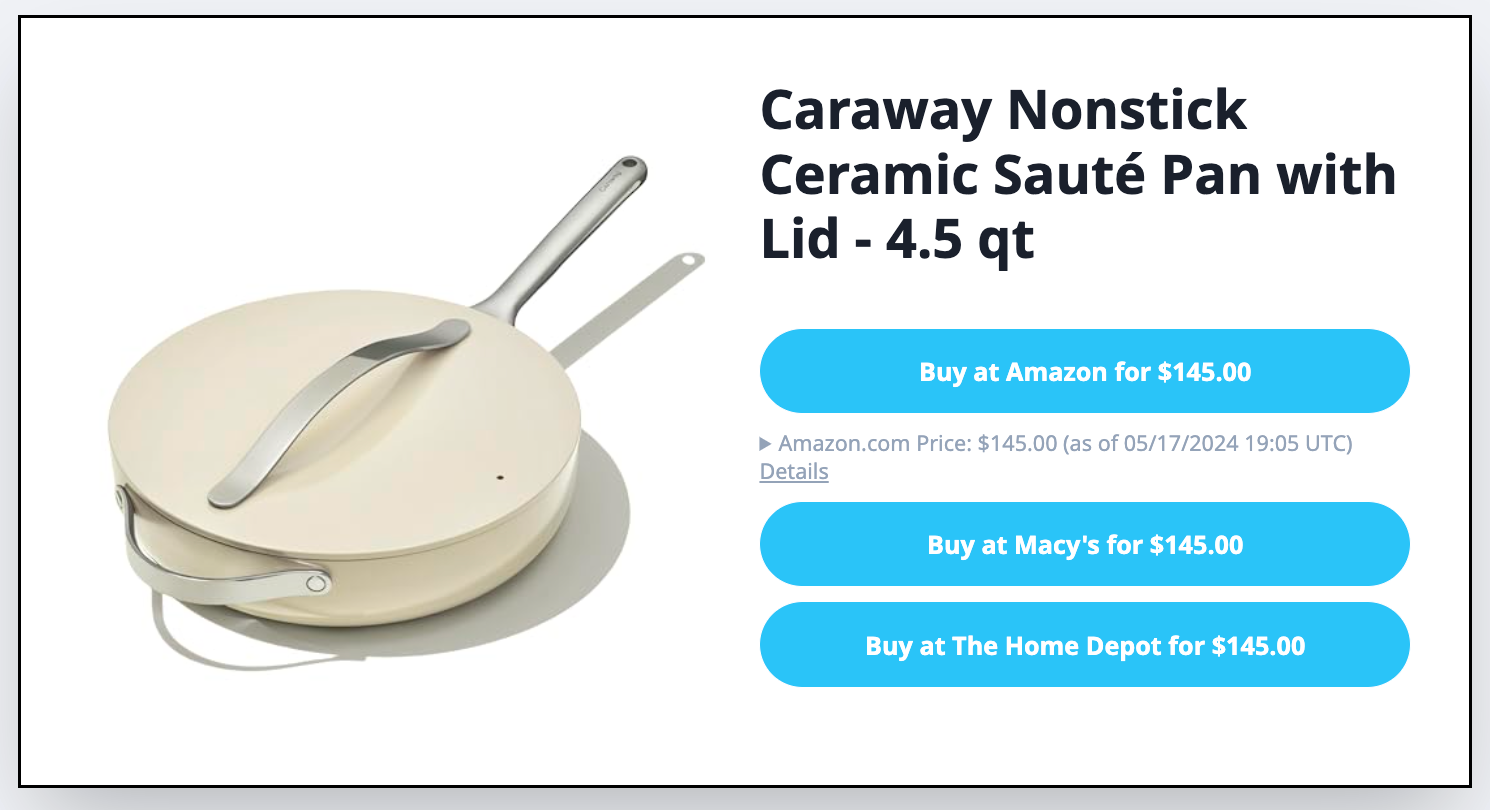
With the toggle on, the snippet renders a short, human friendly name that leaves room for call to action buttons, price, and availability.
When to use AI Short Names
Use Short Names when a page contains many products or when your snippet layout has tight horizontal space.
- Price comparison tables where the product identity is already confirmed by barcode
- Vertical lists that benefit from clean left rail titles and more room for price and merchant actions
- Button only layouts where the creative already carries the visual identity
Keep full names when you are publishing a long form review or when the exact model suffix matters for compliance.
Data integrity still rules
The name that readers see can be short, yet your selection must remain exact.
- Match by identifiers: keep barcode, SKU, MPN, or ASIN in the query so you compare identical products even when merchants title them differently.
- Use pricing fields intentionally: final price, regular price, sale price, and sale discount separate real savings from noise.
- Filter for availability: in stock, stock quantity, and availability prevent dead clicks and build trust.
- Respect governance: filter by network name or ID and merchant name or ID so only approved partners show up.
- Choose your presentation: deduplication on keeps one canonical result per SKU. Deduplication off shows all offers for price comparison.
Short names change presentation, not product logic.
Try it out for yourself!