
What AI-ready product data actually looks like with Affiliate.com's API

What AI ready product data actually looks like is not a branding question. It is an operating question: can a system understand that two messy merchant listings describe the same item, compare the available offers, and return a clean answer without making the user or editor reconcile the feed by hand?
AI ready product data means structured, normalized, searchable product information that can be queried with intent. For affiliate teams, that usually means reliable fields for identity, price, availability, merchant source, network source, and attributes, plus enough control to deduplicate, filter, and compare without turning every workflow into a spreadsheet exercise.
Why raw merchant feeds are not enough
A product lead once described a familiar problem: the same headphones appeared five times in a deal module, each with a slightly different title, image, and price. To a shopper, it looked sloppy. To the data team, it was a matching problem.
Raw affiliate feeds were not designed for AI assisted commerce experiences. They were designed to pass product records from merchants and networks. Titles vary, attributes are uneven, discounts can be formatted differently, and identifiers may sit in different fields.
Affiliate.com’s role is to normalize that fragmentation across more than 30 networks, tens of thousands of merchant programs, and over a billion products, then make the resulting data searchable through fields and filters that commerce teams can actually use.
The anatomy of AI ready product data
1. Identity fields that separate exact matches from lookalikes
The first test is product identity. AI can summarize a product title, but it should not guess whether two listings are the same physical item.
That is where identifiers matter. Barcode, GTIN, UPC, MPN, SKU, ASIN, brand, model, and merchant product IDs each carry different levels of certainty.
A practical hierarchy looks like this:
- Use barcode or GTIN when you need to barcode match the same product across merchants.
- Use MPN when the manufacturer model is the strongest available signal.
- Use SKU when working inside a specific merchant context.
- Use ASIN when starting from Amazon and looking for matching products through barcode or related identifiers.
This distinction matters because lookalikes can break trust. A vacuum bundled with an extra filter is not always the same offer as the standalone model. A prior generation sneaker can share a near identical title with a newer version. AI ready data needs identifiers that keep those differences visible.
2. Pricing fields that support comparison without guarantees
Pricing data is useful only when it is explicit. Affiliate.com indexes fields such as regular price, final price, sale price, sale discount, currency, ship price, and on sale status.
For operators, the important point is not simply “what is cheapest.” It is which pricing field answers the decision at hand.
Pricing decision criteria
- Use final price when comparing what a shopper would likely see as the current listed price.
- Use regular price and sale discount when building a discount led page.
- Use currency when comparing regional offers or filtering to a specific market.
- Use ship price when shipping is relevant to how the offer should be evaluated.
- Verify important price sensitive pages in the live UI, because pricing refreshes from merchant and network data rather than serving as a price guarantee.
This is the difference between a generic AI answer and a commerce aware answer. The system should know whether it is ranking by final price, discount depth, currency, or availability.
3. Availability and commissionable status that protect the user experience
AI ready catalogs need availability signals because unavailable products create dead ends. Affiliate.com includes inventory and status fields such as in stock, stock quantity, availability, and commissionable status.
For a publisher, this means a query can be narrowed before it becomes an editorial or product surface. A shopping assistant can filter to in stock items. A deal page can suppress unavailable products. A data ops team can review whether a product is suitable for a monetized placement before it appears in a Comparison Set.
Do not overstate this as control over merchant relationships. It is a data filter, not a partnership approval engine.
4. Merchant and network fields that make governance possible
AI ready product data also needs provenance. A product record should carry where it came from, not just what it describes.
Affiliate.com supports merchant and network fields such as merchant name, merchant ID, network name, and network ID. These fields help teams govern what appears in search results, comparison modules, and product collections.
A product team might filter to approved merchant IDs. An editorial team might build a gift guide around trusted retailers. A data team might isolate one network while debugging a query pattern. The point is control. Without source fields, AI assisted merchandising becomes hard to audit.
5. Search options that turn data into workflows
The strongest signal of AI readiness is not the number of fields. It is whether a team can combine them.
Affiliate.com supports broad starts through the any field, then lets teams layer filters for brand, name, description, category, color, size, condition, country, gender, material, price, discount, stock, merchant, and network.
A practical workflow might look like this:
- Start with any equals “trail running shoes” to capture broad product intent.
- Layer brand equals “Hoka” or “Brooks” if the article has a defined brand scope.
- Filter currency to USD for a United States buying guide.
- Add in stock equals true to avoid unavailable recommendations.
- Add sale discount greater than a chosen threshold for a deal focused module.
- Use merchant ID or network ID to keep results within the team’s operating rules.
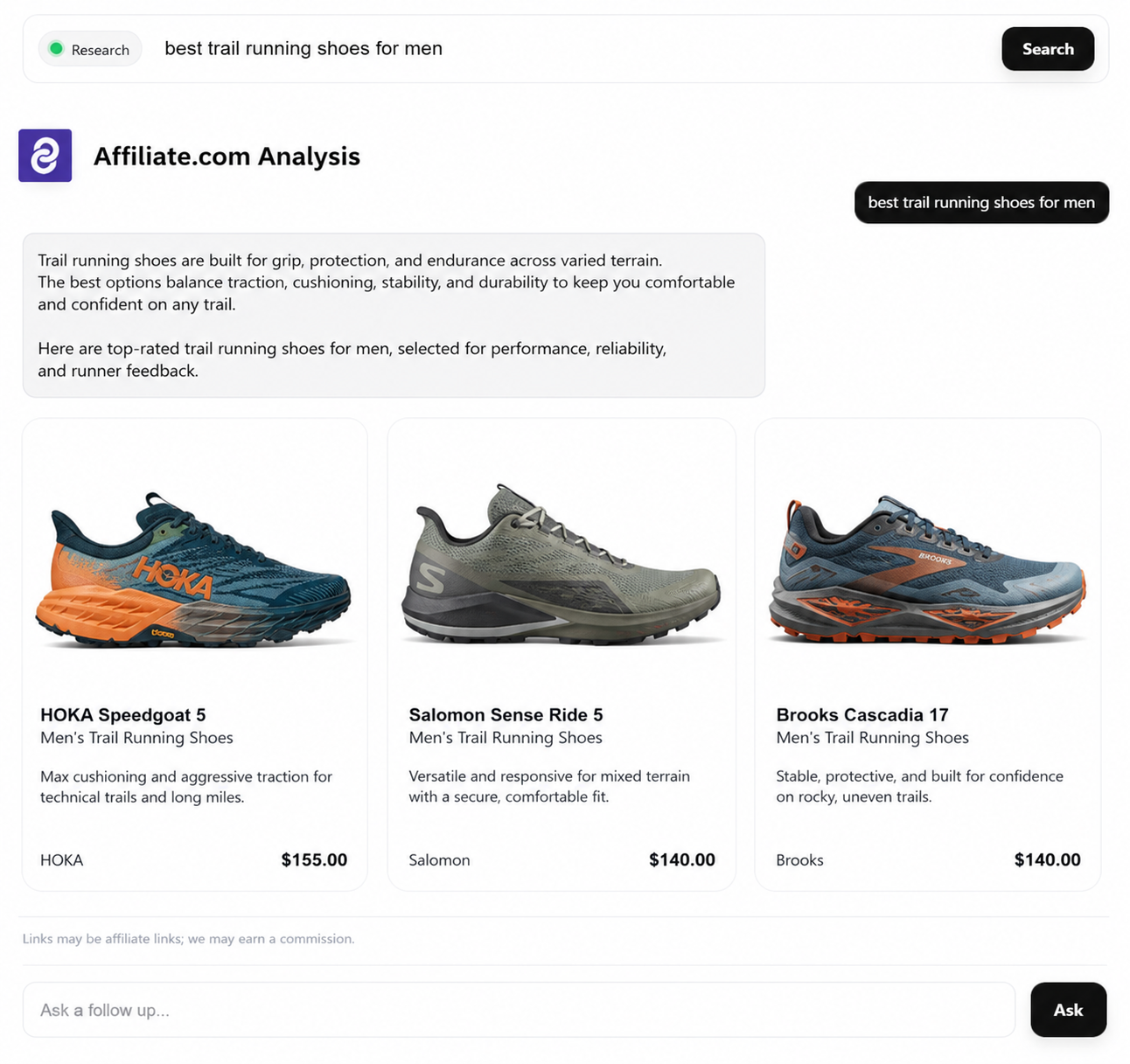
Turn deduplication on for a clean product list, or off when comparing multiple merchant offers for the same item.
That is AI ready because the system can move from fuzzy intent to structured retrieval without losing commercial constraints.
Deduplication is not a cosmetic feature
Deduplication decides whether identical products are consolidated or shown as separate offers. This is an editorial and product decision, not merely a database setting.
Turn deduplication on when the user needs variety: one clean list of distinct products, fewer repeats, less cognitive load. Turn it off when the user needs offer comparison: the same product across several merchants, with price, discount, availability, and source fields visible.
That choice is central to AI assisted commerce. A model can recommend better only when the underlying system knows whether the goal is product discovery or merchant comparison.
What this means for advanced affiliate teams
AI ready product data is not just “more data.” It is normalized data with enough identifiers, filters, and governance fields to make product retrieval repeatable.
For affiliate operators, the checklist is straightforward:
- Can we match identical products even when titles differ?
- Can we separate exact matches from lookalikes?
- Can we filter by merchant, network, price, discount, currency, and availability?
- Can we choose whether to deduplicate?
- Can we share query links or build Comparison Sets from the result?
- Can editors and product teams inspect the logic without needing engineering support for every decision?
Affiliate.com’s API and Query Builder sit directly in that workflow. Start with a broad query, layer the fields that define commercial relevance, review the results, then turn the clean set into a shareable query or Comparison Set for the next surface. That is what AI ready product data actually looks like: not a black box, but a normalized, searchable operating layer for commerce decisions.